“This is what I was looking for”
The page follows naturally from the post or campaign that sparked their interest.
Link in bio
The link in bio is the clickable link in your Instagram or TikTok profile. Many business owners put their website there. Followers click because they want to continue with what you just showed them, so put that at the top.
No payment details needed. You start on Free. By continuing, you agree to the Terms of Use. Our Privacy Policy explains how we handle data.
Sound familiar?
What Findori Links changes
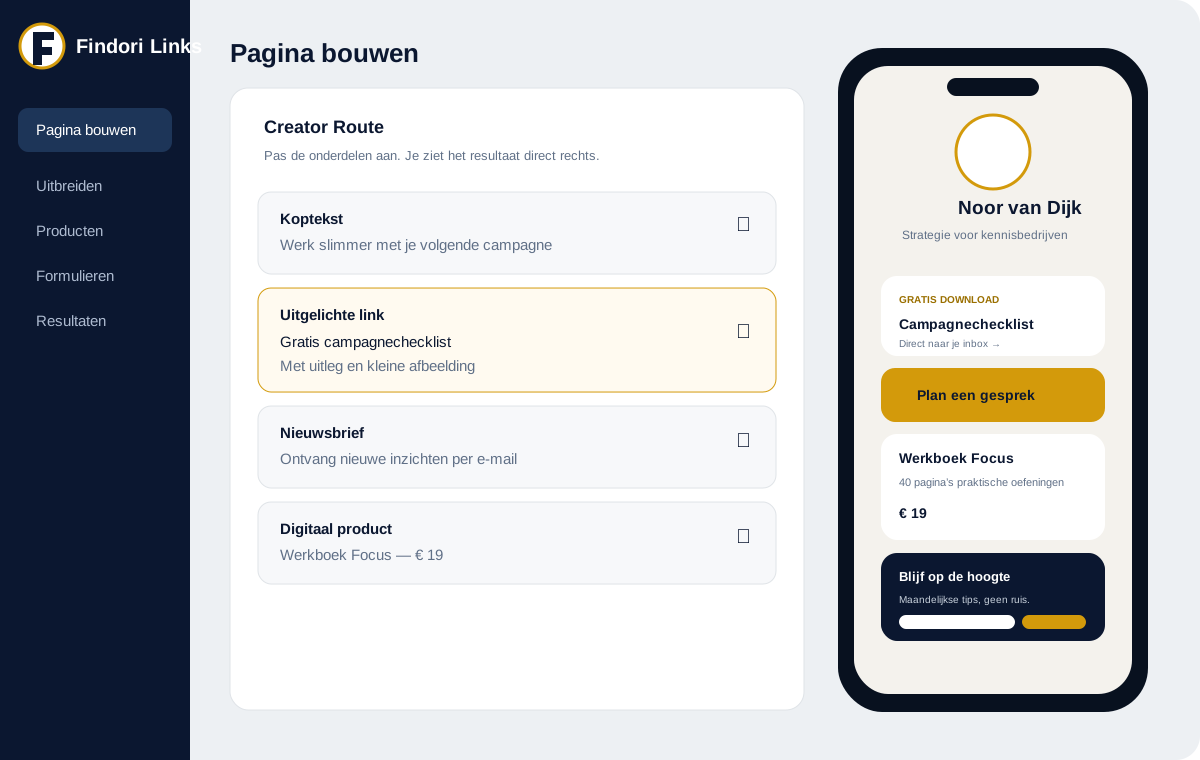
Put your current offer first, explain who featured links are for and let people sign up or buy on the same page.
What this means for you and your visitors
As a coach, trainer, adviser, writer or creator, you can use the same link for several goals: sign-up, enquiry and product side by side.
The page follows naturally from the post or campaign that sparked their interest.
They can sign up, download or buy on the same page.
You see which post or campaign brought the result and where to spend your next hour.
Frequently asked questions
The link in bio is the clickable link in an Instagram, TikTok or other social profile. Since posts do not always allow clickable links, creators direct people to their profile and that one link.
Tap the name or profile picture above a post to open the profile. The link appears below the name and short description, above the photos.
Many business owners send people to their homepage. A link page can work better: put the subject of your latest post first, then your sign-up form, products and other channels below.
Instagram allows five separate links. A link page gives you one permanent address in your bio, while you choose what appears first today.
Create a free Findori Links account, choose a starting layout, add your links and branding, then publish. Put the resulting address in your profile.
Create your free account, put your main offer first and add the link to your profile. No payment details needed.
By continuing, you agree to the Terms of Use. Our Privacy Policy explains how we handle data.