“This is what I was looking for”
The page follows naturally from the post or campaign that sparked their interest.
Create a link page
Choose a starting layout, put your main offer first and publish. You do not need a developer, and you can see the phone view as you build.
No payment details needed. You start on Free. By continuing, you agree to the Terms of Use. Our Privacy Policy explains how we handle data.
Sound familiar?
What Findori Links changes
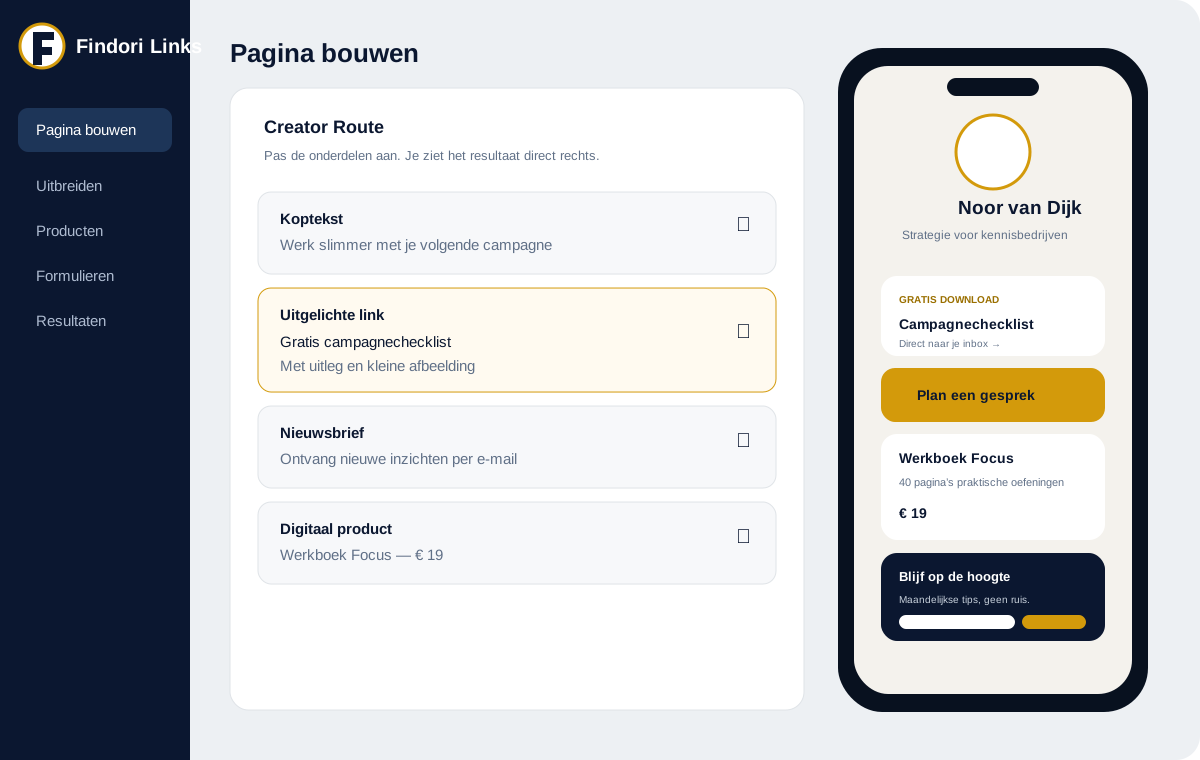
Decide what the page should lead to: a sign-up, enquiry, download or sale. Put that first with a short explanation and give everything else a quieter place below.
What you and your visitors notice
Work in a draft, rearrange or hide sections, and publish only when it is right. If a change does not work, restore an earlier version.
The page follows naturally from the post or campaign that sparked their interest.
They can sign up, download or buy on the same page.
You see which post or campaign brought the result and where to spend your next hour.
Create your free account, put your most important offer first and add the link to your profile. No payment details needed.
By continuing, you agree to the Terms of Use. Our Privacy Policy explains how we handle data.